 

a dark terminal & editor theme
orange & green, built for developers



A dark terminal and editor theme with orange (#ff7800) and green (#3cdc50) as dominant brand colors. Designed for developers who want a cohesive aesthetic across their entire development environment.
Screenshots
iTerm2
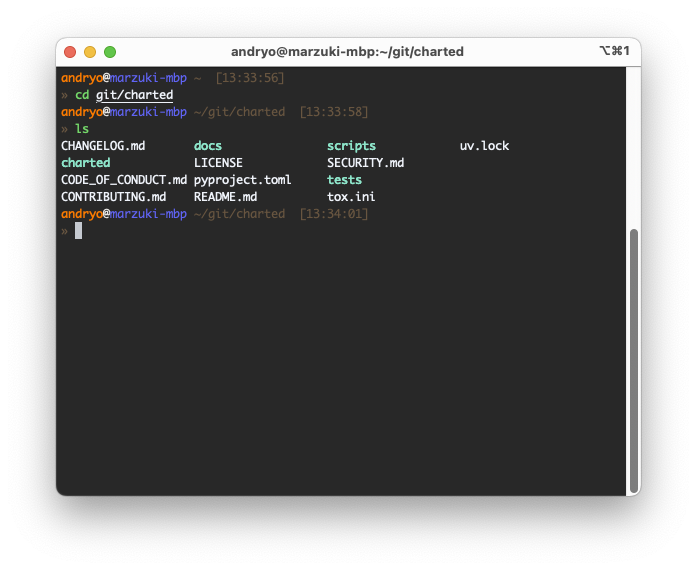
VSCode
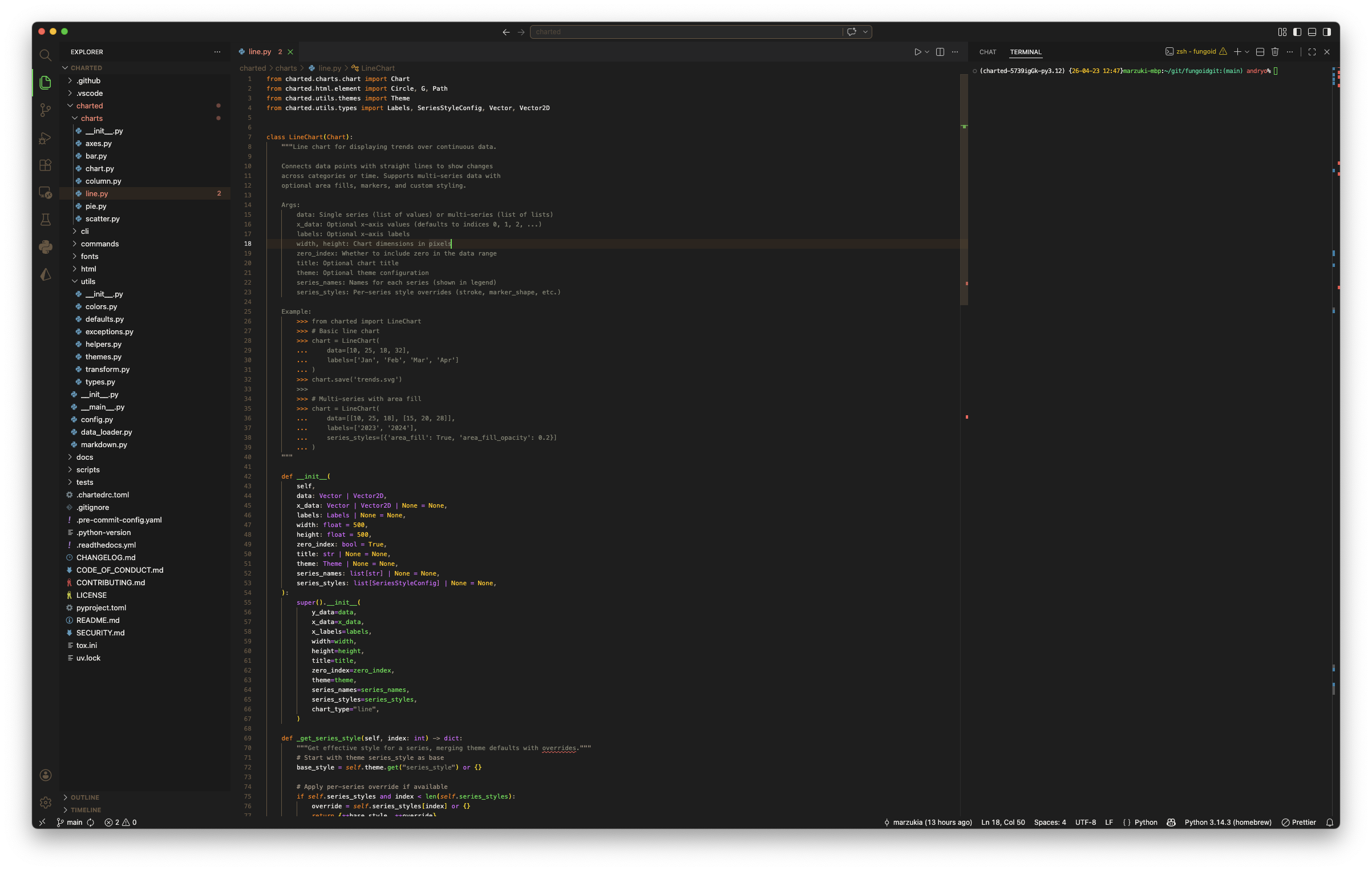
Features
| Feature | Description |
|---|---|
| Cohesive Design | Matching themes for iTerm2, Oh My Zsh, and VSCode |
| Dracula-Inspired Syntax | Clear, readable syntax highlighting with custom palette |
| Optimized Performance | Lightweight theme files with no redundant definitions |
| Git Integration | Visual git status indicators in the prompt |
| Timestamp Display | Green timestamp for easy command tracking |
| Exit Code Indicators | Red indicators for failed commands |
| Custom Font Support | Works with any monospace font, optimized for Nerd Fonts |
Color Palette
| Role | Color | Hex Code | Usage |
|---|---|---|---|
| Primary Orange | ■ | #ff7800 |
Prompts, keywords, highlights |
| Primary Green | ■ | #3cdc50 |
Timestamps, success, strings |
| Pink | ■ | #d966ff |
Types, classes |
| Cyan | ■ | #00d296 |
Accents, decorations |
| Purple | ■ | #a855f7 |
Operators |
| Muted Grey | ■ | #a09080 |
Comments, punctuation, paths |
| Yellow | ■ | #ffbe00 |
Secondary highlights |
| Red | ■ | #ff5a5a |
Errors, warnings |
| Background | ■ | #1e1e1e |
Dark background |
| Foreground | ■ | #e8e6e3 |
Primary text |
Install
iTerm2
- Download Fungoid.itermcolors
- Open iTerm2 Preferences > Profiles > Colors
- Click "Color Presets... > Import..."
- Select the downloaded file
- Apply the theme to your profile
See INSTALL.md#iterm2 for detailed guide.
Oh My Zsh
# Clone the repo
git clone https://github.com/marzukia/fungoid.git ~/.oh-my-zsh/custom/themes/fungoid

# Add to ~/.zshrc
echo 'ZSH_THEME="fungoid"' >> ~/.zshrc

# Reload your shell
exec zsh
See INSTALL.md#oh-my-zsh for detailed guide.
VSCode
- Download the latest
.vsixfile from releases - In VSCode:
Ctrl+Shift+P> "Extensions: Install from VSIX" - Select the downloaded
.vsixfile - Press
Ctrl+K Ctrl+Tand select "Fungoid"
Or install from the VSCode Marketplace
See vscode/fungoid-vscode-theme/README.md for detailed guide.
Prompt Features
- Timestamp — Green time display (HH:MM:SS format)
- User@Host — Orange username and hostname
- Path — Muted grey current directory with git branch
- Git Status — Teal (staged), Orange (modified), Red (untracked)
- Exit Code — Red indicator on command failure
- Prompt Glyphs — Custom arrow glyphs (requires Nerd Font)
Documentation
Development
Structure
fungoid/
├── iterm/                    # iTerm2 color scheme
│   └── Fungoid.itermcolors
├── oh-my-zsh/custom/themes/  # Zsh prompt theme
│   └── fungoid.zsh-theme
├── vscode/fungoid-vscode-theme/  # VSCode extension
│   ├── themes/fungoid.json
│   ├── package.json
│   └── README.md
├── docs/                     # Documentation
├── assets/                   # Logos and branding
├── screenshots/              # Theme screenshots
├── CHANGELOG.md              # Version history
├── CONTRIBUTING.md           # Contribution guidelines
├── INSTALL.md                # Detailed installation
└── LICENSE                   # MIT License
Testing
After making changes:
- iTerm: Import the
.itermcolorsfile and test with various commands - Zsh: Copy to
~/.oh-my-zsh/custom/themes/and test git operations - VSCode: Run
vsce packageand install withcode --install-extension
Contributing
Contributions are welcome! See CONTRIBUTING.md for guidelines.
Changelog
See CHANGELOG.md for version history.
License
MIT License - see LICENSE for details.
Related Projects
- Dracula Theme — Inspiration for syntax highlighting philosophy